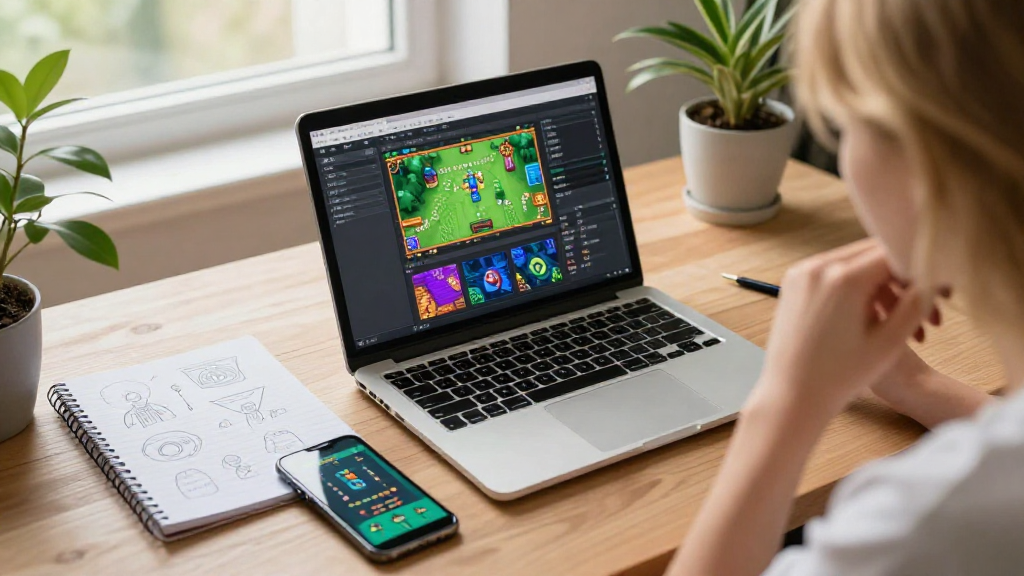
In this article, we’ll explore how to make a simple mobile game that anyone can create, irrespective of their coding experience.
What Are the Basic Steps to Make a Simple Mobile Game?
Creating a mobile game may sound daunting, but it can be broken down into clear and manageable steps. Here’s an overview of the essential processes involved in game development:
-
Conceptualization
– Decide on the game genre: puzzle, adventure, action, etc.
– Determine the target audience: age group, interests, and demographics.
– Brainstorm game mechanics: rules, challenges, and rewards. -
Game Design Document (GDD)
– Outline the game’s story or theme.
– Describe the characters and their abilities.
– Define the levels and environments. -
Choosing the Right Development Tools
– Select a game engine: Unity, Godot, or Construct can be great for beginners.
– Consider additional software for graphics like Adobe Illustrator or Canva. -
Prototyping
– Start creating a basic version of your game to test gameplay.
– Use simple shapes and placeholders for characters and objects. -
Development Process
– Write the game’s code or utilize pre-built assets if you’re not familiar with programming.
– Design artwork and assets that fit the theme of your game. -
Testing
– Gather feedback from playtesters to identify bugs and improve user experience.
– Keep iterating on gameplay until you achieve a polished version. -
Launch
– Publish the game on platforms like Google Play or the App Store.
– Promote through social media, blog posts, or game forums.
What Do You Need to Make a Simple Mobile Game?
Here’s a compact list of resources and tools you’ll need for creating your mobile game:
- Game Engine: Consider Unity (for 2D or 3D games) or GameMaker Studio (great for 2D).
- Graphics Software: Adobe Photoshop, GIMP, or Pixelmator for designing game elements.
- Sound Editing Tools: Audacity for sound effects and music editing.
How Do You Start the Game Design Process?
Once you have an idea for how to make a simple mobile game, it’s essential to flesh out your concept. Here’s how to get started with your game design process:
Create a Game Design Document
A Game Design Document (GDD) serves as a definitive guide through the game development process.
In your GDD, include:
- Overview: A brief description of the game.
- Gameplay Mechanics: How the player interacts with the game.
- Art Style: A description of visual themes.
- User Interface (UI): Design ideas for menus, HUD, and in-game interfaces.
Sketch Your Game Ideas
To visualize your game, create sketches of the gameplay environment, characters, and levels. This process helps you determine the most visually engaging way to present your game.
How Can You Build Your Game?
Building your game is the most exciting part of the process! Here’s how to effectively put your ideas into practice:
Using Game Engines
Different game engines have varying levels of complexity and features.
- Unity: Ideal for both 2D and 3D games and comes with a wealth of tutorials.
- Construct: A user-friendly drag-and-drop interface perfect for beginners.
- Godot: An open-source engine great for those who prefer programming.
Utilizing Pre-Made Assets
Starting from scratch can be time-consuming. Consider sourcing pre-made assets to accelerate development:
- OpenGameArt: A repository of free assets for use.
- itch.io: Offers various game assets across multiple genres.
Writing the Code
If you choose a more complex game engine like Unity, you will generally need to work with C# programming.
- Start Simple: Focus on writing scripts for basic actions like movement and collision detection.
- Iterate: Modify your code based on how players engage with your elements during testing sessions.
How to Test Your Game Effectively?
Testing is crucial in ensuring that your game runs smoothly and is enjoyable. Here’s how to go about it:
Gather Feedback
Invite friends, family, or other developers to play your game and provide constructive feedback. Focus on:
- Gameplay: Is it enjoyable?
- Difficulty: Is it too easy or too hard?
- Bugs: Are there any technical issues?
Implement Changes
After gathering feedback, prioritize the aspects that require improvement.
- Fix any bugs you encounter.
- Consider tweaking difficulty levels based on user input.
What Marketing Strategies Should You Use?
Once you’ve completed your mobile game, it’s time to spread the word! Here are effective marketing strategies to promote your game:
-
Build a Website: Create a dedicated site for your game to provide information, trailers, and links to download your game.
-
Leverage Social Media: Use platforms like Twitter, Instagram, and Facebook to showcase gameplay and engage with your audience.
-
Join Gaming Communities: Share your game on forums like Reddit, IndieDB, and other platforms devoted to gaming.
-
Email Marketing: Collect emails from interested gamers and notify them about your game when it’s ready for launch.
What Are the Post-Launch Considerations?
After you launch your simple mobile game, keep a close eye on its performance.
- Gather Reviews: Monitor feedback from players and respond to comments on app stores.
- Updates: Plan periodic updates based on feedback and introduce new features or content over time.
- Monetization: If applicable, consider implementing ads or in-app purchases to generate revenue.
In Conclusion
Now you know how to make a simple mobile game from concept to launch.
By breaking down the steps and using the right tools and resources, anyone can enter the world of game development.
Whether you aim to design a simple puzzle game or an engaging narrative adventure, the key is perseverance and creativity.
So take the plunge and start crafting your next mobile game today!
