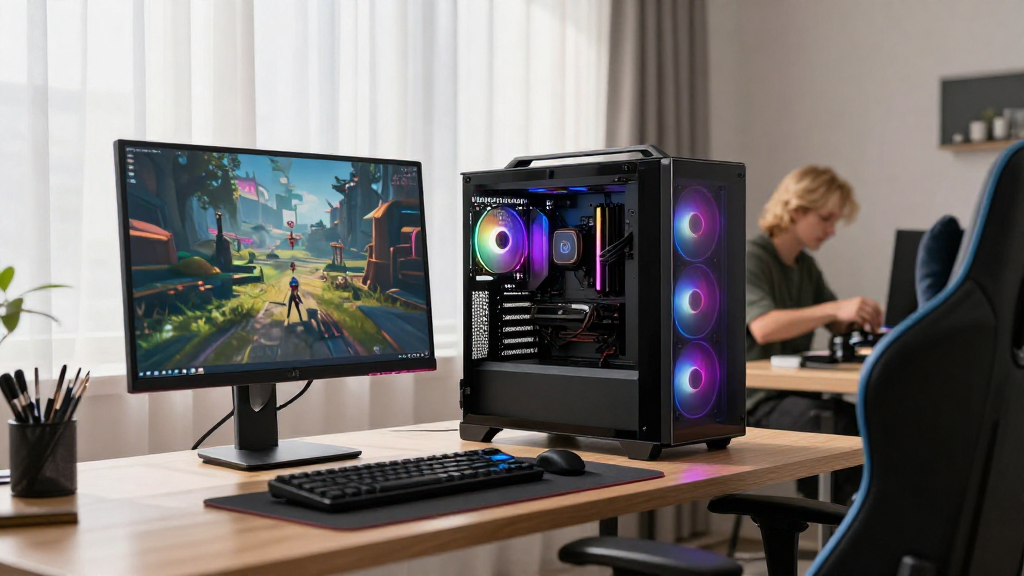
Building a gaming PC can seem like a daunting task, especially for those who are new to the world of technology.
In this comprehensive guide, we’ll walk you through how to build a gaming PC for beginners, taking you step-by-step from choosing your components to assembling your very first rig.
Why Build a Gaming PC?
What Are the Benefits of Building Your Own Gaming PC?
Building your own gaming PC has many advantages:
- Customization: You can tailor your PC to meet your specific gaming needs.
- Cost-effectiveness: Often, building a PC can save you money compared to buying a pre-built system.
- Upgradability: It’s easier to upgrade individual components compared to pre-built machines.
- Learning Experience: You gain valuable knowledge about how computers work.
With these benefits in mind, let’s explore how to build a gaming PC for beginners!
What Components Do You Need?
What Are the Essential Parts for a Gaming PC?
To build a gaming PC, you’ll need several key components. Here’s a concise list of what you’ll need:
- Central Processing Unit (CPU): The brain of your computer.
- Graphics Processing Unit (GPU): Essential for rendering graphics.
- Motherboard: The main circuit board that connects all components.
- Random Access Memory (RAM): Temporary storage for quick access.
- Storage: SSD (Solid State Drive) or HDD (Hard Disk Drive) for files and games.
- Power Supply Unit (PSU): Provides power to your components.
- Computer Case: Houses all your components.
- Cooling System: Fans or liquid cooling to manage temperatures.
- Operating System (OS): Software that runs your computer, like Windows or Linux.
How Do You Choose the Right Components?
What Criteria Should You Consider When Selecting Parts?
When you’re determining how to build a gaming PC for beginners, it’s vital to choose the right components to ensure compatibility and performance. Here’s how:
- Compatibility: Make sure all parts fit together. Use tools like PCPartPicker to check compatibility.
- Budget: Set a clear budget to prevent overspending.
- Performance Needs: Identify the level of performance required for your gaming preferences.
- Brand Choices: Consider trusted brands like Intel, AMD for CPUs; NVIDIA or AMD for GPUs, and Corsair or Seasonic for PSUs.
How Do You Assemble a Gaming PC?
What’s the Assembly Process for Beginners?
Assembling your gaming PC doesn’t have to be intimidating. Follow these steps to learn how to build a gaming PC for beginners:
-
Prepare Your Workspace:
– Ensure you have a clean, well-lit area.
– Gather your tools, typically just a screwdriver. -
Install the CPU:
– Open the CPU socket on your motherboard.
– Align the notches and gently place the CPU in the socket. -
Add the RAM:
– Open the RAM slots on your motherboard.
– Align and gently press down on the RAM sticks until they click in place. -
Attach the CPU cooler:
– Depending on the cooler type, follow the manufacturer’s instructions.
– If using thermal paste, apply a small amount on top of the CPU before placing the cooler. -
Install the Motherboard:
– Secure the motherboard in the case using standoffs and screws provided. -
Insert the GPU:
– Locate the PCIe slot and press the GPU firmly until it clicks. -
Connect the Power Supply:
– Connect the PSU cables to the motherboard, GPU, and other components as needed. -
Install Storage:
– Mount the SSD and/or HDD in the designated areas in the case.
– Connect them to the motherboard and power supply. -
Connect Cooling Options:
– If adding extra fans or cooling systems, connect them to the motherboard. -
Final Connections:
– Connect peripherals like the front panel, USB ports, and audio connections. -
Check Everything:
– Double-check all connections before closing the case.
How Do You Install the Operating System?
What Steps Are Involved in Setting Up the OS?
Now that you’ve successfully built your gaming PC, it’s time to install the operating system. Here’s how to build a gaming PC for beginners and get it running:
-
Create a Bootable USB Drive:
– Download the OS you want (Windows, Linux) and create a bootable USB using tools like Rufus. -
Insert the USB Drive:
– Plug the USB into your new PC. -
Boot from USB:
– Enter the BIOS (usually by pressing DEL or F2 during startup) and set the USB drive as the primary boot device. -
Install OS:
– Follow the onscreen instructions to install your operating system. -
Install Drivers:
– Install drivers for all components, especially GPU drivers for optimal gaming performance.
What’s Next After Building Your Gaming PC?
How Do You Optimize Your Setup for Gaming?
Once you’ve completed how to build a gaming PC for beginners, there are a few steps to take to ensure your gaming experience is top-notch:
- Update Your Drivers: Check the manufacturer’s websites for the latest drivers.
- Install Essential Software: Set up applications like Steam, Discord, or game launchers.
- Configure Settings: Adjust your game settings for optimal performance.
- Benchmark Performance: Use software like 3DMark to test your system’s capabilities.
Conclusion
Building a gaming PC is a rewarding experience that allows you to customize your gaming setup in a way that best suits your needs.
By following this guide on how to build a gaming PC for beginners, you can ensure your experience is smooth from selecting the right components to assembling everything properly.
Embrace the learning curve, enjoy the process, and happy gaming! Ready to unleash your gaming potential? Start building your PC today!
