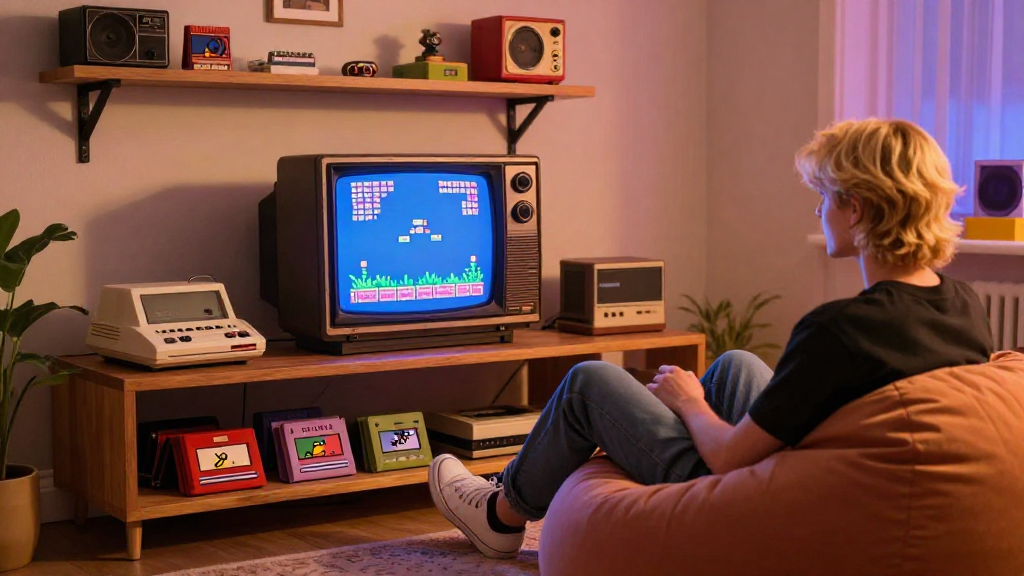
If you’re nostalgic for the glory days of gaming, you may be pondering how to build a retro gaming setup that not only evokes fond memories but also offers an authentic gaming experience.
What Components Do You Need for a Retro Gaming Setup?
Creating a retro gaming setup involves several key components.
1. The Console:
The first step in learning how to build a retro gaming setup is choosing the right console.
-
Original Consoles: Consider using classic consoles like the Nintendo Entertainment System (NES), Super Nintendo (SNES), or Sega Genesis. Collecting these vintage systems can be a rewarding experience.
-
Modern Alternatives: If you prefer something more convenient, look into mini consoles like the Nintendo Classic Mini or the Sega Genesis Mini, which come preloaded with classic games.
-
Emulators: For those who want to play a wider range of games, using an emulator on a PC or a Raspberry Pi can be a viable option. Platforms like RetroPie make it easy to replicate your favorite retro consoles.
2. Display Options:
Once you’ve got your console sorted, it’s time to think about the display.
-
CRT TVs: For an authentic retro experience, search for an old CRT TV. The low resolution and scan lines replicate the original gaming experience beautifully.
-
Modern Displays: If a vintage TV isn’t available, opt for a modern flatscreen with low input lag and capable of displaying 720p or 1080p resolution. Many TVs now also have “retro presets” that mimic the look of older displays.
3. Controllers and Accessories:
Next up, you’ll need controllers and accessories.
-
Original Controllers: Whenever possible, use the original controllers as they provide the most authentic feel.
-
USB Adapters: If you’re emulating, USB adapters can help connect these original controllers to your PC or Raspberry Pi.
-
Additional Equipment: Don’t forget to pick up accessories like light guns, multi-taps, or Rumble Packs to enhance your gaming experience.
How Do You Set Up Your Retro Gaming Space?
Now that you have your components, it’s time to set up your gaming space. Setting the scene is crucial to completing your retro gaming setup.
1. Choose the Right Location:
-
Dedicated Gaming Area: Designate a specific area in your home for your gaming setup.
-
Comfort: Make sure the area is comfortable with a good chair and ample seating for friends.
2. Position Your Console:
-
Accessibility: Ensure your console is easily accessible, with all necessary cables within reach.
-
Ventilation: Make sure there’s enough space for ventilation, especially for older consoles that may generate heat.
3. Wiring and Cable Management:
-
Cable Organization: Use cable ties or sleeves to keep your cables organized and untangled, ensuring a clean and aesthetic look.
-
Power Strips: Invest in a good quality power strip to accommodate all your devices.
What Games Should You Include in Your Retro Gaming Setup?
No retro gaming experience is complete without a solid game library!
1. Classic Titles:
Start by including iconic titles:
- Super Mario Bros.
- The Legend of Zelda
- Sonic the Hedgehog
- Street Fighter II
- Tetris
2. Hidden Gems:
Don’t forget the lesser-known games that can be true treasures:
- EarthBound
- Shadows of the Colossus
- Rocket Knight Adventures
3. Multi-Game Collections:
If you’re using a modern console or emulator, check out collections that feature multiple classic games:
- Sega Genesis Classics
- Namco Museum
- Mega Man Legacy Collection
How Can You Enhance Your Retro Gaming Setup?
To take your setup to the next level, consider these enhancements.
1. Sound System:
-
External Speakers: Invest in good external speakers or a soundbar to enhance audio quality.
-
Headphones: Use high-quality headphones for immersive sound experiences, especially for single-player games.
2. Themed Decorations:
-
Posters and Art: Decorate your gaming area with posters, artwork, or memorabilia from classic games.
-
Gaming Shelves: Display your game collection on shelves to make them easily accessible and visually appealing.
3. Comfortable Seating:
-
Gaming Chairs: Consider investing in a gaming chair that offers comfort and style.
-
Bean Bags or Cushions: For a laid-back vibe, add bean bags or cushions to keep it cozy during long gaming sessions.
How to Maintain Your Retro Gaming Setup?
After investing time and money, maintaining your retro gaming setup is crucial for longevity and performance.
1. Regular Cleaning:
-
Dusting: Regularly dust your console, games, and controllers to prevent dirt buildup.
-
Clean Connections: Use isopropyl alcohol to clean cartridge slots and other connectors.
2. Game Preservation:
-
Store Properly: Keep cartridges and discs in cool, dry conditions and away from direct sunlight.
-
Use Cases: Keep your games in cases to protect them from scratches and damage.
3. Update Software:
-
Emulator Updates: If using emulators, keep the software updated to benefit from new features and improvements.
-
Patch Games: For ROMs, check if any patches or updates exist to enhance gameplay.
Conclusion: Are You Ready to Build Your Retro Gaming Setup?
Learning how to build a retro gaming setup doesn’t just involve acquiring old consoles and games.
It’s about creating an experience that immerses you in the nostalgia of classic gaming.
From selecting the right components to setting up your gaming space, every aspect plays a crucial role in your ultimate retro gaming experience.
So, gather your favorite consoles, pick out those memorable games, and refine your gaming space to take an epic journey back in time.
With the right planning and equipment, you’ll be all set for hours of vintage fun!
