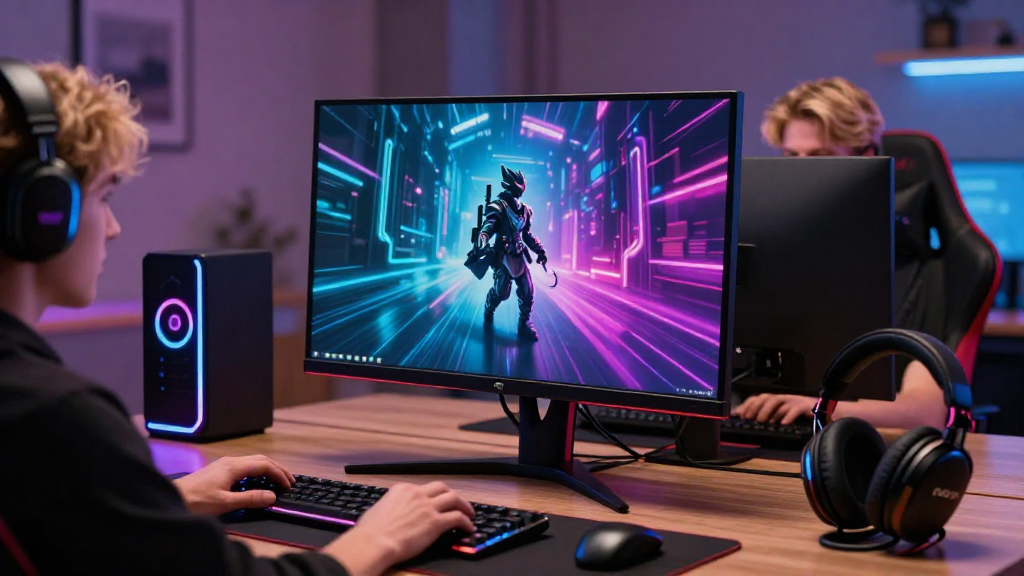
Choosing the right gaming monitor can significantly enhance your gaming experience.
In this article, we will explore how to choose a gaming monitor that complements your setup.
What Features Should You Consider When Learning How to Choose a Gaming Monitor?
When you embark on the journey of how to choose a gaming monitor, several key features demand your attention.
These features play a crucial role in determining the overall performance and enjoyment of your gaming sessions:
-
Resolution:
– Common choices include 1080p (Full HD), 1440p (Quad HD), and 2160p (4K).
– Higher resolutions provide clearer images but may demand more from your graphics card. -
Refresh Rate:
– Measured in Hertz (Hz), the refresh rate indicates how many times the image refreshes per second.
– A higher refresh rate (like 120 Hz, 144 Hz, or even 240 Hz) results in smoother gameplay. -
Response Time:
– This represents the speed at which a pixel can change color.
– A low response time (ideally 1ms to 3ms) minimizes ghosting and blurring during fast action scenes. -
Panel Type:
– TN (Twisted Nematic) panels are usually the fastest and most affordable but have poorer color accuracy and viewing angles.
– IPS (In-Plane Switching) panels provide better colors and viewing angles, although response times may be slightly slower.
– VA (Vertical Alignment) panels offer deep blacks and high contrast but can suffer from slower response times. -
Color Accuracy:
– Look for a monitor that covers a wide color gamut, ensuring vibrant visuals in games.
– Features like HDR (High Dynamic Range) are beneficial for richer colors and better contrast. -
Size and Aspect Ratio:
– Ideal monitor sizes range between 24 to 32 inches, and the optimal distance from your eyes should be considered.
– Aspect ratios like 16:9 are standard, but ultrawide monitors (21:9) offer an immersive experience. -
Connectivity Options:
– Ensure your monitor has the necessary ports (like HDMI, DisplayPort, or even USB-C) to match your computer or console. -
Adaptive Sync Technology:
– Look for monitors that support technologies like AMD FreeSync or NVIDIA G-Sync to reduce screen tearing.
How Much Should You Spend When Learning How to Choose a Gaming Monitor?
Your budget plays a significant role in how to choose a gaming monitor that fits your needs.
Here’s a breakdown of potential price ranges:
- Budget Monitors (Under $300):
-
Often feature basic specifications, ideal for casual gamers or those with lower-end systems.
-
Mid-Range Monitors ($300-$600):
-
Offer enhanced performance, better build quality, and more features, perfect for gaming enthusiasts.
-
High-End Monitors ($600 and Above):
- Target serious gamers and professional eSports players, boasting superior specifications and premium features.
Your choice should align with not only your budget but also your gaming intent.
What Are the Best Brands and Models Available for Gaming Monitors?
When considering how to choose a gaming monitor, brand reputation and model reviews can guide you toward quality products.
Here are some brands recognized for their outstanding gaming monitors:
1. ASUS
- Models:
- ROG Swift PG259QN: A high-refresh rate monitor designed for competitive gamers.
- TUF Gaming VG27AQ: Balances performance with price, offering a great 1440p experience.
2. Acer
- Models:
- Acer Predator X27: Excellent for gamers seeking a 4K HDR experience.
- Acer Nitro VG271: An affordable choice with solid performance for casual play.
3. Samsung
- Models:
- Samsung Odyssey G7: A popular curved monitor that provides an immersive gaming experience.
- Samsung CRG9: An ultrawide option that is perfect for multitasking and immersive gaming.
4. Dell
- Models:
- Alienware AW2521H: Known for its high refresh rate and G-Sync compatibility.
- Dell S2721DGF: Offers great performance for a competitive price.
5. LG
- Models:
- LG 27GN950: A premium 4K monitor with impressive color accuracy and gaming features.
- LG 34GN850-B: Ideal for those who want an ultrawide experience without sacrificing clarity.
How Can You Optimize Your Gaming Monitor Setup?
Once you’ve learned how to choose a gaming monitor that suits your needs, optimizing its placement and settings can further enhance your experience.
Here are some tips for an optimal setup:
-
Positioning:
– Place the monitor at eye level. This helps reduce neck strain during long gaming sessions.
– Maintain a distance of about an arm’s length from the screen for comfortable viewing. -
Lighting:
– Avoid direct light sources behind or in front of the monitor to prevent glare.
– Use ambient lighting or bias lighting to create a visually pleasing environment. -
Calibration:
– Take the time to adjust brightness, contrast, and color settings to match your preferences.
– Use calibration tools or software for more precise settings. -
Cable Management:
– Keep your cables organized and tangle-free for a cleaner gaming space.
– Consider using cable sleeves or clips to secure them neatly. -
Refresh Rate and Response Time Settings:
– Ensure your monitor settings in the operating system or game settings are optimized for the best refresh rate.
– Turn off any unnecessary visual settings in games that may lower the frame rate.
What Should You Do Before Making a Final Decision?
After understanding how to choose a gaming monitor and considering essential features and your preferences, here are a few final steps before making a purchase:
-
Read Reviews:
– Research customer reviews and professional critiques for insights on real-world performance. -
Check Return Policies:
– Ensure that the retailer has a good return policy in case the monitor does not meet your expectations. -
Look for Sales and Discounts:
– Monitors often go on sale during holidays, back-to-school seasons, or tech events. Keep an eye out for better deals. -
Test in Store:
– If possible, visit a retail store to see the monitor in action. This can help you gauge its visual performance personally.
By following these steps and understanding the core components of how to choose a gaming monitor, you’ll be better prepared to make an informed decision that aligns with your gaming needs.
With the right monitor, you can elevate your gaming sessions to new heights and immerse yourself in stunning visuals and performance. Happy gaming!
