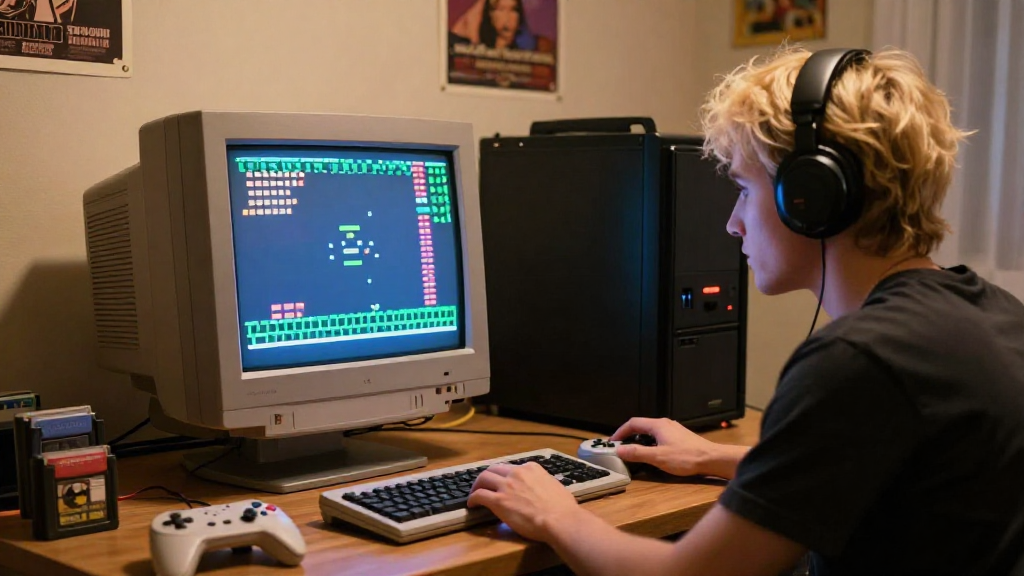
In this article, we will explore how to emulate old games on your PC, enabling you to enjoy classic titles from the past. Emulation allows you to recreate the experience of playing retro games, even if the original hardware is no longer available.
What is Game Emulation?
Game emulation is the process of mimicking the functions of old gaming consoles or computers on modern devices.
Emulators are software programs that replicate the hardware of these classic systems.
Using these emulators, you can run ROMs, which are digital copies of the original games.
This technology has opened the door for many enthusiasts to rediscover their favorite titles and explore games that they may have missed.
Why Emulate Old Games?
There are several benefits to learning how to emulate old games on PC:
- Access to Rare Titles: Some games are no longer available for purchase, making emulation a viable option for accessing them.
- Improved Graphics: Emulators allow for enhancements to the original graphics, providing a better visual experience.
- Compatibility with Modern Technology: Emulating enables you to play games designed for older systems on modern PCs.
- Convenience: You can save your progress easily, use cheats, and adjust settings for better gameplay.
Which Emulators Should You Use?
When considering how to emulate old games, choosing the right emulator is crucial. Below are some popular emulators for various systems:
For Nintendo Systems
- Project64: An excellent choice for Nintendo 64 games.
- Snes9x: A widely used emulator for Super Nintendo Entertainment System (SNES) titles.
- ZSNES: Another option for SNES, known for its speed and performance.
For Sega Systems
- Kega Fusion: A versatile emulator that supports Genesis, Sega CD, and other Sega systems.
- Gens: A focused emulator for Sega Genesis games, well-regarded for its user-friendly interface.
For Sony Systems
- ePSXe: A highly compatible emulator for the original PlayStation.
- RPCS3: The best choice for PlayStation 3 games, though it requires a more powerful PC.
For PC Games
- DOSBox: An emulator that runs old DOS games with ease, enabling you to experience classic PC titles.
- ScummVM: Ideal for playing classic point-and-click adventure games like Monkey Island and Day of the Tentacle.
How Do You Get ROMs?
Once you have an emulator installed, the next step in learning how to emulate old games is acquiring ROMs. Here are a few key points to keep in mind:
-
Legal Issues: Downloading ROMs can lead to legal complications. It is important to only download games that you own physically or look for games that are in the public domain.
-
ROM Websites: There are many sites where enthusiasts share ROMs, but always check their legality before downloading.
-
Creating Your Own ROMs: If you have a physical copy of a game, you can use specialized tools to create your own ROM, ensuring you stay on the right side of copyright law.
How to Set Up Your Emulator?
Setting up an emulator can vary slightly based on the application you choose. Here’s a basic guide to help you get started:
-
Download the Emulator: Visit the official website of the emulator you’ve chosen and download it. Ensure you are downloading from a trusted source to avoid malware.
-
Install the Emulator: Follow the installation instructions provided, which generally involve extracting the files and running the setup.
-
Configure the Emulator: Most emulators come with default settings. You may want to adjust:
– Graphics settings: Choose the resolution and graphical enhancements you prefer.
– Controls: Set up your keyboard or gamepad controls according to your comfort. -
Load the ROM: After configuring, open the emulator and use the ‘File’ menu to load your ROM file.
-
Start Playing: Once the ROM loads, you can start playing and relive those nostalgic moments!
Common Challenges and Their Solutions
While learning how to emulate old games, you may encounter some challenges. Here are some common issues and their solutions:
Poor Performance
- Adjust Graphics Settings: Sometimes lowering the resolution can improve performance.
- Update Drivers: Ensure that your graphics card drivers are up to date.
Audio Problems
- Sound Settings: Check your emulator’s audio settings and ensure the correct output device is selected.
- Reinstall: If issues persist, reinstall the emulator.
Crashes and Bugs
- Compatibility: Ensure that the ROM is compatible with the emulator you’re using.
- Seek Community Help: Many emulators have dedicated forums where you can ask for help.
Tips for an Enhanced Gaming Experience
- Use Save States: Many emulators allow you to save your progress at any time, providing flexibility.
- Explore Mods: For some games, there are fan-made mods that can enhance the gameplay experience.
- Join Communities: Engaging with fellow gamers in forums like Reddit or Discord can help you learn more about how to emulate old games and discover new titles.
Conclusion
Learning how to emulate old games can open a treasure trove of nostalgia and enjoyment from your favorite classics.
By choosing the right emulator, obtaining ROMs legally, and configuring your settings properly, you can create an enriching gaming experience.
Emulation is not only a way to replay old favorites, but also a chance to explore the gaming history that has shaped the industry today.
Now, grab your controller, load up an emulator, and start your journey into the world of retro gaming!
