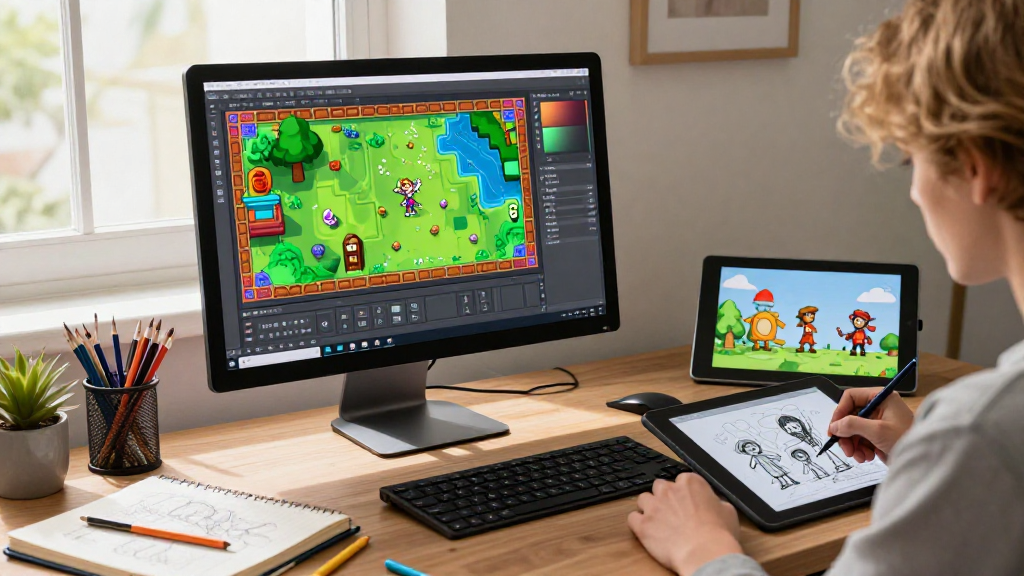
Are you wondering how to make 2D game graphics?
Creating stunning graphics for your 2D games doesn’t have to be a daunting task.
With the right tools and techniques, you can bring your imaginative worlds to life without breaking a sweat.
What Are 2D Game Graphics?
Before diving into the methods of creating 2D game graphics, it’s essential to understand what they are.
2D game graphics refer to the visual elements in a two-dimensional environment. These graphics can include:
- Characters
- Backgrounds
- User Interface (UI) elements
- Sprites
- Animations
By mastering how to make 2D game graphics, you can enhance player engagement and create a memorable experience.
What Tools Can You Use?
To tutorialize how to make 2D game graphics effectively, you need to pick the right tools. Here are some excellent options:
-
Pixel Art Software
– Aseprite: A powerful pixel art tool that allows for easy sprite animations.
– Piskel: A free, online pixel art tool perfect for beginners. -
Vector Graphics Software
– Adobe Illustrator: A professional vector-based design tool with extensive capabilities.
– Inkscape: A free, open-source vector graphics editor. -
Game Development Engines
– Unity: Supports 2D games and offers built-in tools for creating graphics.
– Godot: A free and open-source game engine with a robust scene editor for 2D graphics. -
Graphics Asset Stores
– Unity Asset Store: A vast marketplace for acquiring 2D art assets and packages.
– itch.io: Hosts various asset bundles, many of which are free or with a pay-what-you-want model.
How Can You Learn to Create Graphics?
Learning how to make 2D game graphics can be simplified through various educational resources.
Consider the following options:
- YouTube Tutorials: Look for channels dedicated to game development and art.
- Online Courses: Websites like Udemy or Coursera offer structured courses on game graphics creation.
- Interactive Platforms: Utilize sites like Khan Academy or Codecademy for hands-on learning.
What Are the Steps to Make 2D Game Graphics?
Now that we know the tools and learning resources available, let’s break down the steps involved in how to make 2D game graphics:
1. Conceptualize Your Ideas
Start by sketching your ideas on paper or using a digital drawing tool. Consider the following:
- What style of graphics will you use — cartoonish, realistic, or retro?
- What themes do you want to explore in your game environment?
2. Build Your Assets
Next, you’ll want to create the necessary assets.
Here’s how:
- Characters: Design your main characters and NPCs, focusing on various poses and expressions.
- Environments: Create backgrounds, platforms, and objects to build your game world.
- UI Elements: Design buttons, menus, and HUD components.
Utilize your chosen software and remember to save your work frequently!
3. Optimize Your Graphics
Optimize your graphics for performance and loading times.
Follow these tips:
- Use a lower resolution for mobile games to enhance performance.
- Compress PNG files without losing quality.
- Use sprite sheets to combine multiple images into one.
4. Animate Your Art
Now, bring your graphics to life!
Animation allows your characters and backgrounds to move fluidly within the game.
To animate:
- Determine the frames required for movement or actions.
- Use software features like onion skinning to preview animations before exporting them.
5. Export and Integrate
Finally, export your graphics from your software and integrate them into your game engine.
Here’s how:
- Ensure your files are in compatible formats, like PNG or SVG.
- Import your graphics into your game engine alongside their scripts to function in-game.
How Do You Get Feedback?
After you’ve created your graphics, gathering feedback can guide your work.
Follow these steps:
- Share your graphics within online forums or communities.
- Join game development or art groups to solicit critiques.
- Utilize social media platforms to showcase your designs and gather opinions.
Why Is Consistency Important?
One common mistake new developers make is inconsistency in their graphics.
Here’s why maintaining consistency is vital:
- Visual Cohesion: Ensures a uniform look and feel throughout your game.
- Brand Recognition: Helps players identify your unique art style.
- Enhanced Gameplay: A cohesive design enhances player immersion.
Conclusion
Creating stunning 2D game graphics is a rewarding venture that can be achieved easily with the right tools and techniques.
By exploring various applications and following the structured steps mentioned above, you’ll enhance your skills in how to make 2D game graphics.
Through continual practice and engagement with the community, you can refine your art and develop games that captivate players.
So, roll up your sleeves, grab your favorite tools, and start creating your own vibrant game world today!
