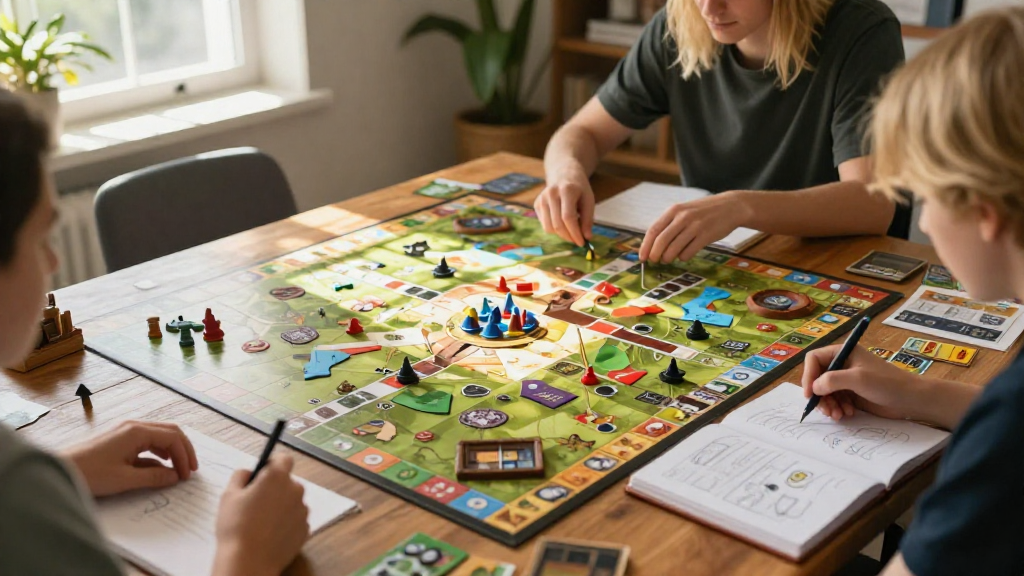
Creating engaging and enjoyable experiences in video games often requires a unique setting.
In this article, we will explore how to make a custom game map that can elevate your gaming experience whether you’re a developer, a hobbyist, or just curious about the process.
What is a Custom Game Map?
A custom game map is a user-designed environment or arena that can alter gameplay significantly.
These maps can range from expansive worlds to intricate levels within various genres, including:
- First-person shooters
- Role-playing games
- Strategy games
- Platformers
Creating such maps allows you to implement your own ideas and enhance the gaming experience for yourself and others.
Why Create a Custom Game Map?
You may wonder, why should I take the time to create a custom game map?
Here are some compelling reasons:
- Personal Expression: Allows you to showcase your creativity and storytelling abilities.
- Customization: Tailor the environment to fit the specific needs or style of your gameplay.
- Community Engagement: Share your map with others and become part of an excited community.
- Skill Development: Improve your design, programming, and problem-solving skills.
What Tools Do You Need to Start?
To understand how to make a custom game map, you must first gather the necessary tools.
Here are some popular tools and software used for creating custom maps:
- Game Engines:
- Unity: Versatile and user-friendly
- Unreal Engine: Great for high-quality graphics
- Level Editors:
- Tiled: 2D map editor
- Hammer: For Source engine games
- Modeling Software:
- Blender: Free and powerful 3D modeling software
- Maya: Industry-standard modeling tool
Being familiar with these tools will give you a strong advantage in map-making.
How Do You Plan Your Custom Game Map?
Planning is essential when learning how to make a custom game map.
Here’s a breakdown of effective planning steps:
-
Conceptualization:
– Decide on the theme (fantasy, sci-fi, etc.)
– Sketch your ideas on paper or digital tools. -
Gameplay Mechanics:
– Determine how players will interact with the environment.
– Identify key elements such as obstacles, enemies, or power-ups. -
Layout Design:
– Draft a rough layout of the map structure.
– Decide on key locations (spawn points, checkpoints, etc.). -
Storyline Integration:
– Consider how the map relates to the game’s storyline.
– Weave narrative elements into the map for a cohesive experience. -
User Feedback:
– Seek external opinions on your initial plans to refine them.
What Are the Key Steps to Create Your Custom Game Map?
Now that you have your plan, let’s delve into the steps to make a custom game map.
Step 1: Set Up Your Development Environment
Ensure you have the necessary software installed and set up your workspace.
Familiarize yourself with the tools you’ve chosen.
Step 2: Create the Base Terrain
Begin with the following:
- Terrain Generation: Use height maps or sculpt tools to create the land.
- Textures: Apply ground textures to provide realism.
- Environment: Add components like trees, rocks, and water bodies.
Step 3: Implement Game Mechanics
Integrate necessary gameplay features:
- Collisions: Ensure players can interact with walls and obstacles.
- Spawn Points: Set locations where players will start or respawn.
- NPCs & Enemies: Program non-player characters and enemies suitable for your map.
Step 4: Design the Aesthetics
The visual appeal of your custom game map is crucial.
Consider these elements:
- Lighting: Create dynamic lighting to affect mood and visibility.
- Sound Effects: Incorporate ambient sounds or thematic music.
- Diverse Colors: Use a color palette that complements the theme.
Step 5: Playtest Your Custom Game Map
Testing your map is essential to ensure it functions correctly.
- Gameplay Sessions: Invite friends or use online forums to gather players for testing.
- Feedback Collection: Take notes on what works and what doesn’t to make adjustments.
- Iterate: Revise and fine-tune your map based on feedback.
Step 6: Publish and Share Your Map
Once you’re satisfied with your custom map, it’s time to share it with the world.
- Platforms: Use platforms like Steam Workshop, moddb.com, or itch.io to reach a larger audience.
- Social Media: Promote your map through social media channels and gaming forums.
- Community Engagement: Be open to receiving feedback to make further improvements.
How Can You Enhance Your Custom Game Map Further?
To take your map to the next level, consider the following enhancement ideas:
- Add Secrets: Easter eggs or hidden areas can reward curious players.
- Dynamic Events: Include changing weather or time of day to add depth.
- User Customizations: Allow players to adjust settings or modify elements based on personal preferences.
Conclusion: How to Make a Custom Game Map
In summary, understanding how to make a custom game map is an exciting journey filled with creativity and innovation.
From conceptualizing and planning to executing the details and sharing your masterpiece, each step contributes to a unique environment that enhances gameplay.
Creating custom maps not only expresses your artistic vision but empowers you to engage with the gaming community on a deeper level.
The world of map-making is vast, so don’t hesitate to experiment and hone your skills as you craft your unique gaming landscapes.
Now, it’s your turn—go out there and start creating!
