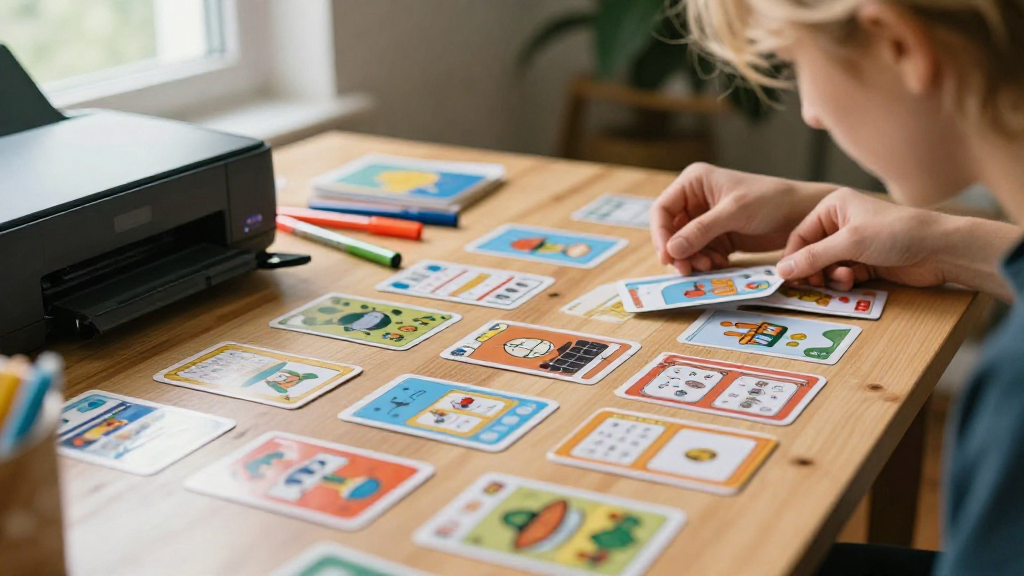
Are you looking for fun, creative ways to bring a game night to life?
This guide on how to make printable game cards will provide you with all the tools you need to create unique, custom cards for any occasion.
What Are Printable Game Cards?
Printable game cards can be a fantastic addition to game nights, parties, or family gatherings.
These cards can be used in various games, including:
- Playing cards
- Board games
- Trivia games
- Role-playing games (RPGs)
The beauty of printable game cards lies in their versatility.
You can design your cards for classic games or invent entirely new ones!
Why Should You Make Your Own Game Cards?
Creating your own game cards has many advantages:
- Customization: Tailor your cards to fit your specific needs or themes.
- Cost-Effective: Avoid expensive pre-made card sets; print only what you need.
- Creativity: Utilize unique designs, colors, and graphics that reflect your personality.
- Convenience: Print from the comfort of your own home.
How to Make Printable Game Cards?
Now that you understand what printable game cards are and why you should make your own, let’s dive into the details.
Here’s a step-by-step guide on how to make printable game cards!
Step 1: Decide on the Game Concept
Before you jump into the design process, determine what type of game you want to create.
Questions to consider include:
- Is it a card game, board game, or trivia?
- What theme will it follow? (Fantasy, educational, party, etc.)
- What’s the target audience? (Kids, adults, mixed ages, etc.)
Once you have clarity on these points, you can move onto the next step.
Step 2: Choose a Design Tool
Choosing the right design tool is crucial for your project’s success.
Here are some popular choices:
- Canva: User-friendly with pre-made templates.
- Adobe Illustrator: Great for advanced users with design experience.
- Microsoft Word/PowerPoint: Simple options for beginners.
- Free Card Maker Websites: Online tools tailored specifically for creating card designs.
Step 3: Design Your Cards
This is a fun part of how to make printable game cards!
Here are tips for creating your card designs:
- Dimensions: Standard card size is 2.5 x 3.5 inches, but you can experiment with sizes.
- Template: Use a template to maintain consistency across all cards.
- Graphics: Incorporate graphics that reflect your theme.
Websites like Unsplash and Pixabay can provide free images. - Text: Ensure that the text is easy to read.
Choose a legible font style and size.
Important Tip: Always leave some margin around your design.
This prevents any important content from being cut off when printed.
Step 4: Add Game Mechanics
If you’re creating a game from scratch, you’ll need to incorporate game mechanics into your card design.
Here are some elements you might include:
- Instructions: Clear, concise instructions for how to play.
- Action Items: What players should do when they draw a specific card.
- Card Types: Different categories or types of cards (e.g., action cards, character cards).
Make sure that the game mechanics are easy to understand.
This will keep your players engaged and excited!
Step 5: Make Your Cards Printable
Once your design is complete, it’s time to prepare your files for printing.
Follow these steps to ensure your card designs print flawlessly:
- Format: Save your file in a high-resolution format such as PDF or PNG.
- Bleed Area: If you’re using a border, extend it slightly beyond the edge of the card for a cleaner look once cut.
- Test Print: Print a test page on regular paper to verify that everything looks good.
Step 6: Print Your Game Cards
Now that your designs are ready, it’s time to print your cards!
Here are some printing options:
- Home Printer: Perfect for a quick, low-budget experience. Use card stock or heavy paper for durability.
- Local Print Shop: Professional printing services often provide better quality and options like glossy finishes.
- Online Printing Services: Websites like Vistaprint or Moo offer custom printing.
Make sure to choose the right paper type for your game cards.
Card stock is highly recommended for its sturdiness and feel.
Step 7: Cut Your Cards
After printing, it’s time to cut your cards to size.
Here are some tools you can use:
- Scissors: Effective for small batches, but may not be as precise.
- Paper Cutter: Best for larger quantities for cleaner, straight cuts.
- X-ACTO Knife: Offers precision for more detailed designs.
Step 8: Test and Play!
With your cards printed and cut, gather friends or family for a playtest!
This is an essential step in how to make printable game cards as it allows you to see how your design works in action.
- Observe: Take note of how players engage with your game.
- Refine: Be open to feedback. You might discover areas that need improvement!
Conclusion
Making your own game cards is an exciting and rewarding endeavor.
By following these steps on how to make printable game cards, you can unleash your creativity and provide unique gaming experiences.
Whether for a party, family game night, or a customized gift,
the possibilities are endless.
So grab your design tools, unleash your imagination, and start creating today!
