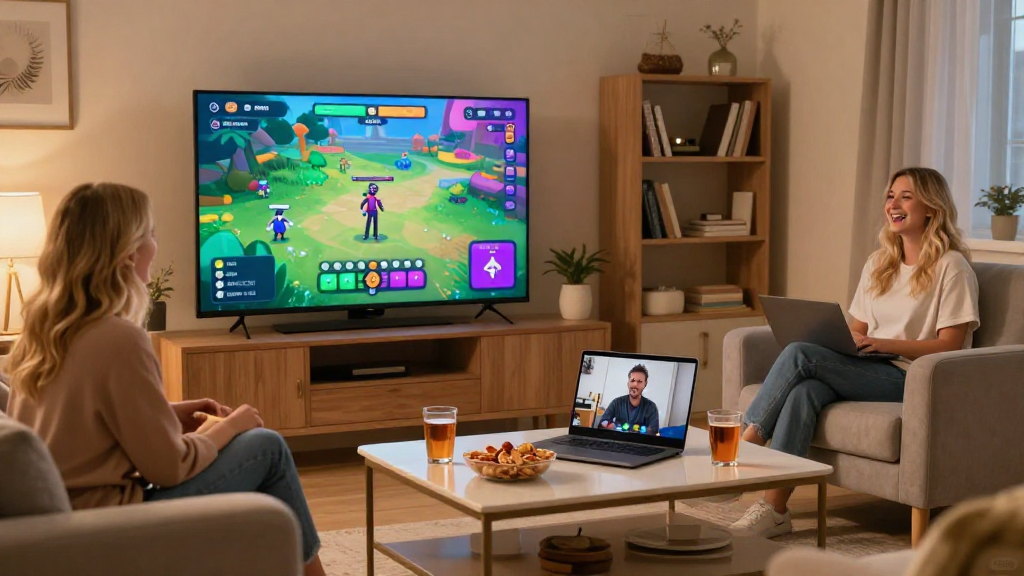
In today’s digital age, knowing how to set up a virtual game night can bring friends and family together, no matter the miles separating them.
What Are the Benefits of a Virtual Game Night?
Virtual game nights provide numerous advantages, such as:
- Enhanced connections: Stay in touch with friends and family.
- Accessibility: Gather people from various geographical locations.
- Cost-effective: Save money on travel and venue expenses.
- Diverse options: Choose from countless games catering to various interests.
When you learn how to set up a virtual game night, you unlock endless possibilities for fun and interaction.
How Do I Choose the Right Games for My Virtual Game Night?
Selecting the right games is crucial for a successful virtual game night. Consider these factors:
- Group Size: Some games work better with small groups, while others are ideal for larger teams.
- Interests: Choose games that appeal to your participants—be it trivia, strategy, paper-and-pencil games, or party games.
- Technical Requirements: Ensure that everyone has access to the required tools or software.
Here are a few game ideas that are perfect for virtual settings:
- Online Board Games: Platforms like Tabletopia and Board Game Arena offer a wide range of options.
- Trivia Games: Use apps like QuizUp or Kahoot to challenge your friends.
- Video Games: Games like Among Us and Jackbox are fantastic for group play.
By considering these factors when determining how to set up a virtual game night, you can choose games that will keep everyone entertained.
What Tools Do I Need for a Virtual Game Night?
The right tools can make or break your virtual game night. Here’s what you’ll need:
1. Video Conferencing Software
- Zoom: A popular choice, it allows up to 100 participants for 40 minutes on the free plan.
- Google Meet: Great for Google users and ideal for smaller gatherings.
- Skype: A reliable option for those who prefer a no-download solution.
2. Gaming Platforms
- Tabletop Simulator: For board game lovers, it’s a must-have.
- Steam: Offers a plethora of multiplayer game options.
3. Communication Tools
- Discord: Great for voice and text chatting during gameplay.
- WhatsApp: Use it for quick coordination outside the game.
Having these tools at your disposal is essential for effectively learning how to set up a virtual game night.
How Should I Prepare My Guests for a Virtual Game Night?
Preparation plays a key role in setting expectations and ensuring everyone enjoys the evening. Here’s how to get your guests ready:
- Send Invitations: Clearly state the date, time, and duration of the game night.
- Outline the Agenda: Inform guests about the games you’ll play and allocate sufficient time for each.
- Provide Instructions: Share links, rules, and any necessary setup information in advance.
- Suggest Tech Checks: Encourage participants to test their software and hardware before the event.
By preparing your guests properly, you help create a smooth experience when teaching them how to set up a virtual game night.
What Should I Do During the Game Night?
Once everyone is online, remember these tips to keep the energy high and the fun flowing:
1. Kick Things Off
- Start with a friendly welcome to set a warm, inviting tone.
- Briefly introduce everyone to each other, especially if some guests haven’t met.
2. Follow the Agenda
- Stick to your plan but be flexible.
- Adapt if a game isn’t resonating with the group.
3. Encourage Engagement
- Ask funny or light-hearted questions to keep the conversation lively.
- Use polls or prompts to make the experience more interactive.
4. Be the Host
- Take charge of the timing and game transitions but make sure everyone has a say.
- Keep the mood light and humorous; laughter is the best glue for a virtual gathering.
By engaging actively and facilitating smoothly, your knowledge of how to set up a virtual game night can create memorable experiences for everyone involved.
How Can I Follow Up After the Virtual Game Night?
Don’t forget to maintain that connection even after your event! Here are some follow-up ideas:
- Send Thank You Messages: A simple message expressing gratitude makes everyone feel valued.
- Share Highlights: If you recorded the night or took screenshots, share those memorable moments.
- Plan the Next Game Night: Encourage participants to suggest dates and games for a future gathering.
Following up will enhance relationships, making future virtual game nights even more enjoyable as you continually hone your skills in how to set up a virtual game night.
Conclusion
In summary, knowing how to set up a virtual game night is a significant skill in the modern world.
By choosing the right games, tools, and preparation methods, you can create an engaging environment that fosters fun and connection among friends and family.
Remember to be an enthusiastic host and follow up after the event to keep the excitement going.
Now that you have the insights and tips on how to set up a virtual game night, it’s time to gather your friends and enjoy an evening filled with laughter and fun!
